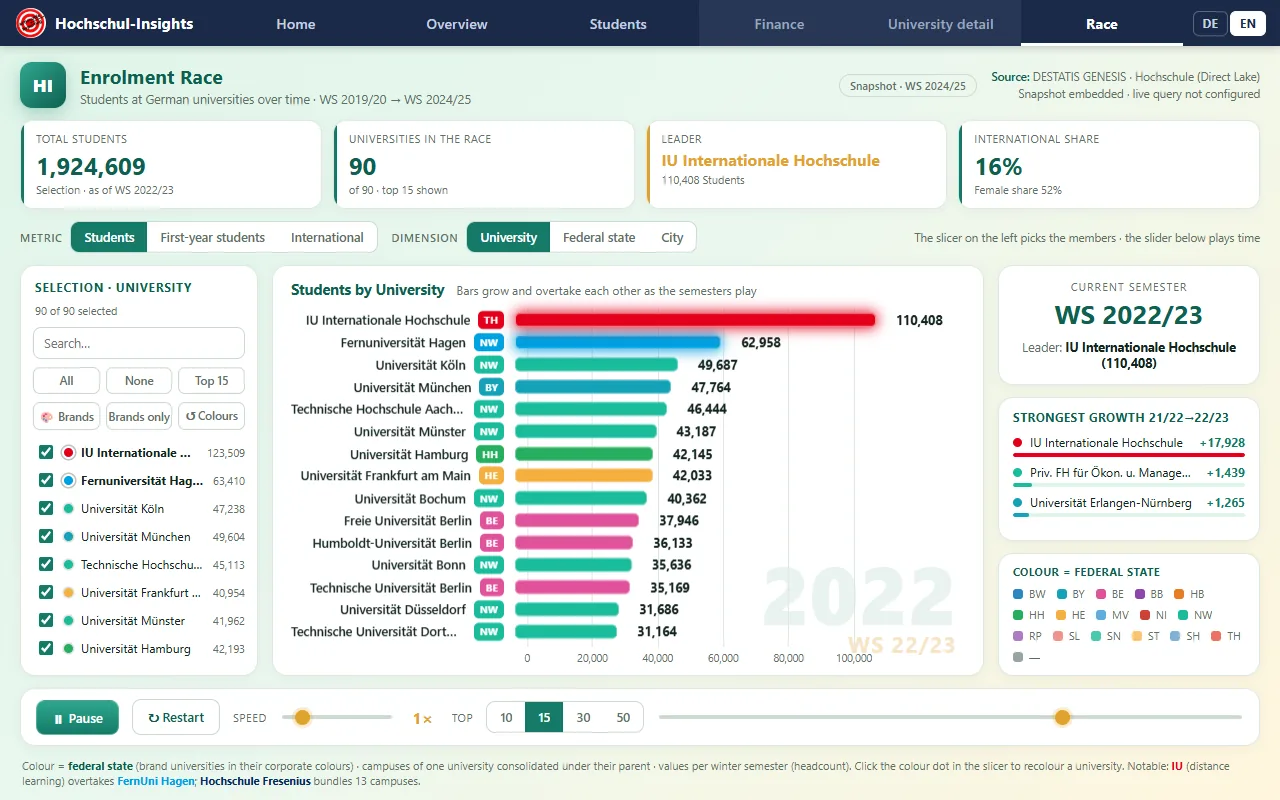
Self-contained, animated bar-chart race of enrolment at German universities, built as a Microsoft Fabric static-hosting Rayfin app. Data comes from the Hochschul-Insights Direct Lake semantic model (DESTATIS GENESIS,
 Datenlizenz Deutschland 2.0). A build-time snapshot is inlined into
 index.html
so the app renders instantly and offline; an optional ⚡ Live-Daten button
re-queries the semantic model at runtime (see Live data below).
No deployment identifiers live in this repository. Workspace, semantic model, tenant, app-registration and User Data Function ids are read at runtime from
config/live.json, which is git-ignored. Copyconfig/live.example.jsonand fill it in locally. Without it the app runs snapshot-only and hides the live button.
What it does
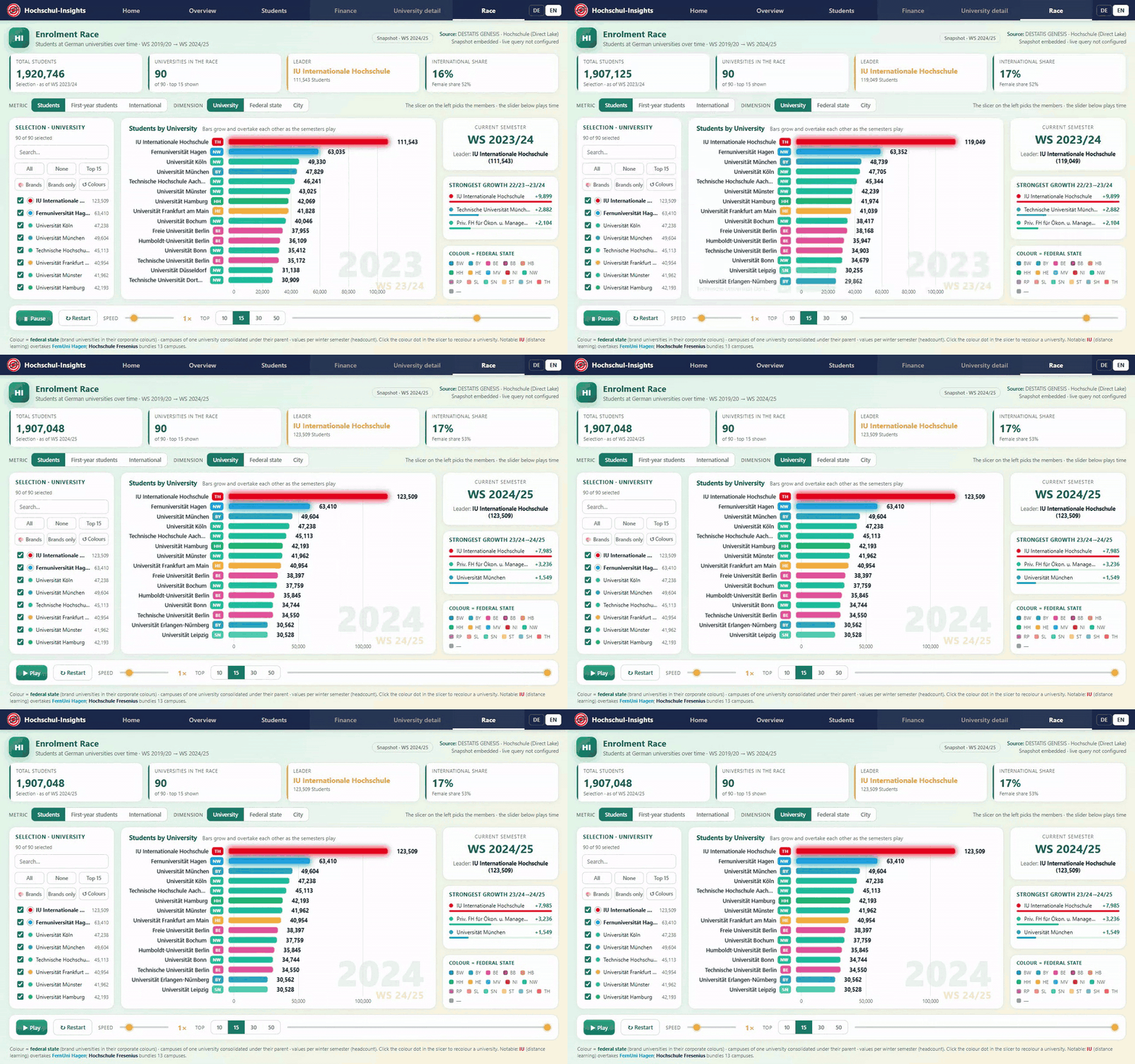
- Race chart of members over the Wintersemester axis (WS 2019/20 → WS 2024/25), bars grow / shrink / overtake as the semesters play. Colour = Bundesland, with a colour key in the right rail.
- Metric switch: students · first-year students · international students.
- Dimensions-Umschalter (dimension): Hochschule · Bundesland · Stadt (aggregated live from the university-level data).
- DE/EN switch in the top navigation. Only the chrome is translated — Hochschule, Stadt and Bundesland names stay German, because they are proper nouns that have to match the semantic model.
- Report pages (Home · Übersicht · Studenten) rebuild the Power BI report's IBCS layout in HTML; Finanzen and Hochschul-Detail are explicit placeholders.
- Parent-university consolidation: multi-campus brands are grouped under their Trägerhochschule in the Hochschule dimension — IU Internationale Hochschule (22 codes → ~123k) and Hochschule Fresenius (13 codes → ~17.6k). Bundesland / Stadt stay per-campus for accurate geography.
- Custom colours: click the colour dot next to any member in the slicer to pick a
colour (persisted in localStorage). Quick actions: 🎨 Marken applies corporate
colours to IU (red
#E2001A), Fresenius (deep blue#0A2A5E) and FernUni Hagen (cyan#00A0E1); Nur Marken isolates those three; ↺ Farben resets. The three brand colours are applied by default on first visit and the members glow wherever shown. - Slicer (left): searchable member multi-select with Alle / Keine / Top 15 — adapts to the selected dimension.
- KPI tiles react to metric/dimension/scope/time: current-metric total, members in the race, current leader, internationaler Anteil + Frauenanteil.
- Playback controls: Abspielen/Pause, Neu, Tempo, Top-N (10/15/30/50), Zeit-Regler.
Live data
The ⚡ Live-Daten button loads current numbers straight from the Direct Lake
semantic model. It only appears once config/live.json exists and is complete:
- The user signs in with MSAL (
@azure/msal-browservia esm.sh) using the SPA app registration named in the config (scope…/powerbi/api/.default). - That Power BI token is passed to a
fabric_proxyUser Data Function, which runsexecuteQueriesserver-side (browsers cannot callapi.powerbi.comdirectly — CORS). Queries are pivoted (6 semesters as columns) and limited to the top ~260 universities so the proxy response stays small; a third query pulls all IU + Fresenius campuses so parent-consolidation still holds. - The rows are shaped in the browser (same name-cleaning + parent grouping as the build pipeline) and swapped into the race.
Requirements / notes:
- The Fabric capacity backing the workspace must be Active; if it is paused or anything fails, the app silently keeps the snapshot.
- The webapp origin must be in the SPA app's redirect URIs (add via Graph when the hosting URL changes). Silent SSO only works after one interactive sign-in.
- A placeholder or missing config is rejected rather than used, so a fresh clone is snapshot-only by default.
- Data updates roughly annually (one new Wintersemester), so the snapshot is usually identical to live; rebuild the snapshot via the pipeline below to refresh the default.
Build & deploy
npm install
npm run build:fabric   # assembles dist/ (index.html + config/live.json)
npx rayfin up --workspace-id <rayfin-workspace-id> --tenant <tenant-id> -y
Deployment state lives in rayfin/.deployments.json and rayfin/.env, both
git-ignored, so a later npx rayfin up reuses the existing target.
Checks
npm run lint   # ids agree across package/manifest/rayfin.yml, inline scripts parse,
               # and no tenant identifier has crept back into the source
npm test       # snapshot shape + DE/EN catalogue contract (node --test)
Refreshing the data (new semesters)
The dataset is generated from the semantic model and inlined into index.html.
Scripts live in tools/data/:
hi_dax.ps1 -DaxFile <query.dax> -Out <out.json>runs an executeQueries DAX query against the model. It resolves the workspace and semantic model from-WorkspaceId/-DatasetId, thenHI_WORKSPACE_ID/HI_DATASET_ID, thenconfig/live.json— so with that file in place it needs no arguments beyond the query. Requiresaz loginand an Active capacity.extract_studierende.dax→hi_stud.json(university × semester: total / international / weiblich, plus Parent_University for consolidation)extract_studienanfaenger.dax→hi_anf.json(university × semester: Studienanfänger)extract_coords.dax/extract_finanzen.dax→hi_coords.json/hi_finanzen.json(slow-changing, committed — they rarely need regenerating)
build_app.pycleans names, tags multi-campus brands with a consolidation key (g), and builds the compact dataset →hi_appdata.json.inject.pyinjectshi_appdata.jsoninto the/*__HI_DATA__*/marker inindex.html. Thennpm run build:fabric+rayfin upto redeploy.
Gallery template
A packaged version of this app is prepared for the
awesome-rayfin gallery as
higher-education-insights, together with a written comparison against the
Power BI report shipped by the hochschul-insights Fabric Jumpstart.
Fabric architecture
npx rayfin up provisions:
- Entra sign-in (Fabric identity)
- Static web app
Getting started
npm install
npm run serve
npx rayfin up --workspace-id <your-workspace-guid> --tenant <your-tenant-guid>
Any workspace or item id this app needs is read from the environment, with no default.
Project structure
config/         configuration
rayfin/         deployment config - redirect URIs are loopback only
test/           tests
tools/          data pipeline and build helpers
Scripts
| Script | What it does |
|---|---|
npm run build:fabric |
build the bundle Fabric static hosting serves |
npm run rayfin:up |
deploy to your Fabric workspace |
npm run serve |
serve locally |
Credits
Part of Fabric-Apps, MIT licensed.
Data
DESTATIS GENESIS via the Hochschul-Insights Direct Lake semantic model, Datenlizenz Deutschland 2.0.